

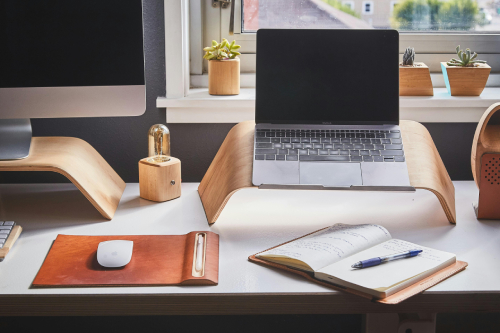
Whether you’re freelancing, managing your own business, or simply working remotely a few days a week, having a dedicated home office can make a difference. Besides productivity, it’s about separating your “work brain” from your “home brain,” helping you stay focused and organised.
The good news is that setting up a home office doesn’t have to be a wallet-draining endeavour. With some careful planning, you can create a professional space on virtually any budget. That said, there are always a few sneaky costs people forget to account for. These can add up quickly and leave you wondering why your simple desk-and-chair project suddenly feels more like a mini renovation.
To help you stay ahead of those surprises, let’s take a closer look at the typical and not-so-typical expenses that come with creating a comfortable, functional home office.
How much does it cost to set up a home office?
The total cost of your home office will vary depending on your space, needs, and how polished you want it to be. Start by listing the essentials and measuring the area you’ll be working with. That way, you don’t buy a desk too large for the corner you had in mind or overload the room with unnecessary gadgets.
Here’s a breakdown of common essentials and their average prices in Singapore:
- Desk – Prices range from about $100 for a simple writing desk to over $800 for a motorised standing desk.
- Ergonomic chair – Expect to spend between $150 and $700. A supportive chair is non-negotiable if you’ll be sitting for hours each day.
- Computer or laptop – This can be anywhere from $900 to $2,000 depending on your needs. If you’re in design or video editing, you’ll likely need something on the higher end.
- Monitor – Even if you’re using a laptop, many people now opt for dual monitors. Each additional monitor may set you back $150 to $500.
- Keyboard and mouse – Budget around $50 to $150 for a comfortable set, or higher for mechanical keyboards.
- Internet connection – Most homes already have broadband, but upgrading your plan for faster speeds might mean an extra $20 to $50 a month.
All in all, a basic setup can cost as little as $1,500, but a more advanced workstation with premium ergonomics and tech could easily reach $4,000 or more.
Of course, not everyone has the ability to drop that much upfront. If spreading the cost out makes things more manageable, some consider options like a monthly installment loan in Singapore to handle larger purchases without a hefty one-time payment.
Unexpected costs you might overlook
Once you’ve covered the basics, it’s tempting to think you’re done. But many people realise later on that their setup isn’t quite as comfortable or complete as they first thought. Here are some additional costs you might not expect:
1. Ergonomic accessories
A chair and desk are just the start. To prevent strain and fatigue, accessories like wrist rests, monitor stands, and footrests often become must-haves. They may seem optional at first, but over time they can significantly improve your comfort and long-term health.
2. Software subscriptions and digital tools
If you’re employed by a company, they may cover essentials like Zoom, Slack, or project management platforms. But freelancers and entrepreneurs often have to shoulder costs for specialised software themselves – think design tools, cloud storage, or even premium productivity apps. These may only be a few dollars a month each, but together they add up quickly.
3. Storage solutions and tech accessories
Even in our digital-first world, physical storage remains useful. Filing cabinets, shelves, and drawer units help keep clutter at bay. You may also discover over time that you need tech extras, like noise-cancelling headphones for focus, or a surge protector to safeguard your equipment.
4. Tech upgrades
As your work evolves, so might your setup. A bigger wide-screen monitor, a printer, or even a better microphone for virtual meetings may become necessary later on. These aren’t always part of the initial budget, but they often creep in within the first year.
5. Smart home gadgets for comfort
Think air purifiers, desk lamps with adjustable lighting, or even a small fan. These aren’t strictly “office gear,” but they make a big difference in keeping you comfortable during long workdays.
Overall, unlike a one-off renovation, setting up a home office is often an ongoing project. You may add or swap things out bit by bit as you figure out what really works for your routine.
Hidden health and productivity costs of skipping upgrades
It’s understandable to want to keep costs low. After all, if your setup technically works, why spend more? But avoiding ergonomic upgrades or refusing to invest in small comforts can backfire in ways that hit both your health and productivity.
For example:
- Wrist strain from poor keyboard support can lead to carpal tunnel syndrome.
- Neck and back pain are common when screens aren’t positioned at the right height.
- Eye strain can worsen without proper lighting or monitor adjustments.
Beyond health, an inefficient workspace can slow you down. Constantly adjusting your setup, feeling uncomfortable, or dealing with clutter chips away at productivity and increases stress. For those working remotely full-time or running a business from home, these inefficiencies can cost far more in the long run than the upgrades themselves.
If the budget is tight, you don’t need to upgrade everything at once. Some people manage this by gradually adding improvements or by seeking affordable financing options, such as consulting a licensed money lender in Singapore for flexible solutions like personal loans – learning when personal loans help and when they don’t can make a big difference in managing your finances wisely.
Budgeting tips for setting up your home office
By now, you might be wondering if setting up a home office is going to drain your bank account. The truth is, it doesn’t have to. With smart planning, you can create a space that suits your needs without overspending. Here are a few tips:
1. Start small and build gradually
Focus on the essentials first: desk, chair, and a reliable computer. Over time, you’ll notice what’s missing and can prioritise those extras one at a time.
2. Balance cost and comfort
If you work long hours from home, comfort should take priority. Spending a little more on ergonomics may save you from costly health issues later.
3. Separate fixed vs variable expenses
Internet bills, software subscriptions, and utility increases are ongoing costs. Plan for them in your monthly budget, while treating hardware purchases as one-time (or infrequent) investments.
4. Look for secondhand or refurbished options
Desks, shelves, and even monitors can often be found in great condition at a fraction of the price. Don’t overlook these options if you’re trying to stay within the budget.
Conclusion
Setting up a home office can be one of the best investments you make for your career, health, and peace of mind. While it’s easy to account for the obvious essentials, hidden costs can catch you off guard. The key is to plan wisely, pace yourself, and remember that your home office doesn’t need to be perfect from day one. Over time, small improvements will create a workspace that truly works for you and helps you do your best work without unnecessary strain.
Need a little extra financial breathing room? Orange Credit is a licensed money lender in Singapore offering quick, flexible, and transparent loan solutions. With fair terms and a focus on your needs, we make it easier to handle life’s challenges and stay on top of your goals.
